
Give video a direct path
MeetPoise uses a C++ video engine and a Tauri desktop host with a React interface. The engine handles capture, inference, effects, and output. The interface handles settings, previews, and the recording workflow. Full-size camera frames do not travel through JavaScript.
This separation gives the product a useful boundary. We can change how controls are presented without rewriting the image-processing pipeline. Platform-specific capture and camera output still require their own implementations and validation. A shared interface cannot make those differences disappear.
Keep waiting work bounded
A queue of old frames is a poor fit for a conversation. MeetPoise keeps one pending captured frame and replaces input that processing has not yet taken. The frame being processed remains owned by the processing path.
Segmentation and compositing use the same processed frame. The preview branch has bounded storage and encodes separately, so painting the desktop interface does not become the main path for meeting video. These choices limit waiting work; they are not a claim about end-to-end meeting latency on every machine.
Make hardware choices visible
The desktop offers explicit processing modes and shows diagnostics for the path actually used. CPU and GPU behavior depend on the runtime, graphics support, model, and device. A mode label is useful only when the application can explain what happened.
That is also why we distinguish exposure adjustment and manual color controls from generative relighting. The current product helps adjust the image using implemented controls. A more ambitious effect needs its own model, quality evaluation, and distribution clearance before becoming a promise.
Show the product, state the release boundary
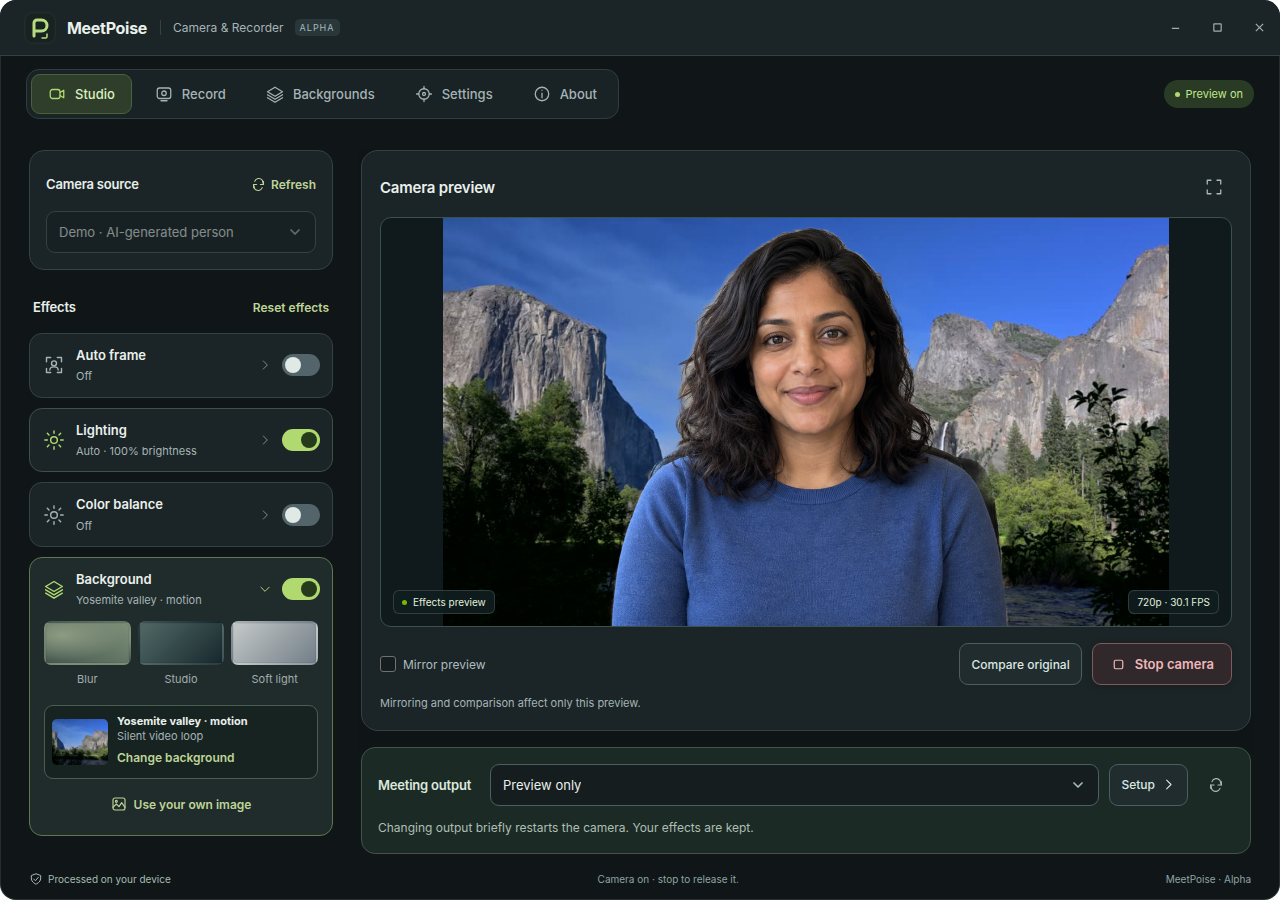
Our screenshots show the real application processing a static, AI-generated fictional person. They demonstrate the interface and implemented effects. They do not establish live-camera quality or sustained video performance.
MeetPoise is currently a Linux development alpha. Windows and macOS work remains in progress, including virtual-camera providers, physical-device validation, and signed distribution. The next useful step is proving the full workflow on supported machines, then making installation and daily use dependable.

PUT THE IDEA TO WORK
MeetPoise
Your camera, ready for work. Local video effects and screen recording in one desktop app.